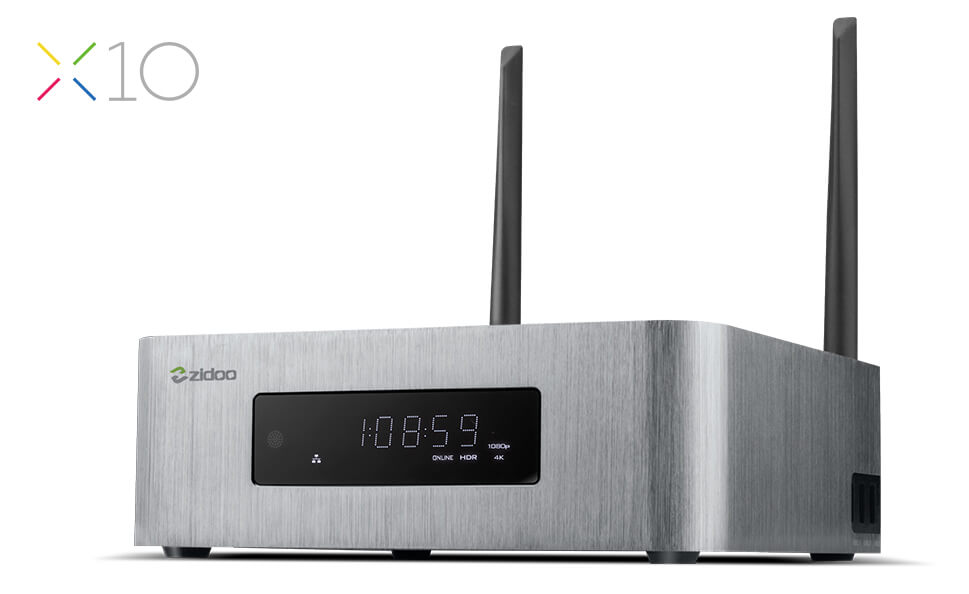
HDMI Out – HDMI2.0a output, Support 4K@60fps Support HD Audio(7.1CH), support 23.976 and 29.94
HDMI In – HDMI2.0 input, support PIP, HDMI IN stream recode and stream output via UDP etc…
Video decode – HDR, 10-bit HEVC/H.265 up to 4K @ 60fps, VP9 up to 4K @ 60 fps, H.264 up to 4K @ 24 fps, automatic frame rate switching
Audio decode – Support HD audio(7.1ch) decode and passthrough Redesigned Native player,Blu-ray better compatibility,Powerful subtitles ,Support MVC ISO,MVC MKV. Built in ZDMC(Base on Kodi)
USB – 1x USB3.0, 2x USB2.0
Power – 12V/3A
Misc – IR receiver, Digital LED display, Power button, Built-in fan
Other interfaces – TF card reader SD card interface (Support 1GB/2GB/4GB/8GB/16GB/32GB), IR receiver, Composite video and audio port (Cvbs output), S/SPDIF (2CH, 5.1CH), SATA3.0, Restore hole
- New feature: Google Play Store and Google Services support added, with a
  unique possibility to easily enable/disable Google Services depending on
  user needs (when disabled, they are not installed, do not perform various
  things in background, do not consume system resources). Google Services
  are initially disabled and are automatically enabled when pressing
  "Google Play Store" icon in "Android applications" section for the first
  time. After Google Services are enabled, they can be disabled by
  resetting settings to factory defaults.

- New feature: Added a new setting "Audio / Digital audio connector" with
  options "HDMI (HD audio enabled)" (default) and "S/PDIF (HD audio
  disabled"). Should be set to "S/PDIF (HD audio disabled)" when outputting
  audio in bitstream mode to S/PDIF (or to HDMI equipment not supporting HD
  audio).

- New feature: Added setting "Setup / Misc / Encodings / Subtitles
  encoding" which allows to specify subtitles encoding (same as on Sigma
  models).

- New feature: REPEAT and SHUFFLE functions for playlists are now
  implemented (same as on Sigma models).

- New feature: Sleep timer is now implemented (same as on Sigma models,
  works only when working with Dune HD GUI). By default it is disabled. It
  can be enabled via the new setting "Setup / Misc / Power manamenent /
  Sleep timer".

- New feature: Discrete power-on and power-off IR codes are now supported
  (codes 5F and 5E, same as on Sigma models).

- Improvement: List of audio tracks and subtitle tracks now shows more
  information (and more correct information) about tracks.

- Improvement: YouTube icon (in "Android applications") now installs a
  newer version of YouTube, with 4K video support.

- Improvement: CEC is now disabled by default.

- Improvement: VFD display now shows current time in 24 hour format (same
  as it is shown on TV screen).

- Improvement: In initial setup wizard, the suggested by default timezone
  is now automatically detected based on GeoIP (when Internet is
  accessible).

- Improvement: In initial setup wizard, if the connected TV supports 4K, 4K
  resolution is now recommended by default.

- Improvement: When UI Type 1 is used, "Android applications" section is
  now also available.

- Improvement: When UI Type 2 is used, the "Applications" tab now has a
  proper title "Applications" (rather than "Dune HD Applications").

- Improvement: On power-on, an unneeded extra HDMI reinitialization took
  place.

- Improvement: In System setup menu, some unneeded and non-working
  Android-related settings are removed.

- Improvement: Debug dump now includes more useful information.

- Bugfix: It was possible to exit standby mode by various wrong IR codes.

- Bugfix: It was possible to exit standby mode by switching the connected
  HDMI equipment on/off.

- Bugfix: Some AVI files could not be played.

- Bugfix: Playback crash could happen when stopping or finishing playback.

- Bugfix: Player could randomly reboot in some rare cases.

- Bugfix: When saving debug dump to NTFS-formatted storage device, the
  system could hang.

- Bugfix: SD cards were wrongly mounted read-only.

- Bugfix: In some rare cases, GUI could stop responding to any RC button
  presses.

- Improvements for PHP plugins and PHP API:

   - New feature: New action "RESTART" is introduced, with parameter
     "reboot" (possible values "yes" and "no"), which allows the plugin to
     request GUI restart or full reboot.

   - New feature: "PLUGIN_OPEN_FOLDER" action is extended with the new
     parameter "sel_id", which can be used to preselect the given item in
     regular folders (value is media_url of the item to preselect).

   - New feature: For TV plugins which support TV archive (catchup),
     LEFT/RIGHT RC buttons can now be used to switch to archive mode and
     seek in the archive even in Live TV mode. For TV plugins which do not
     support archive, LEFT/RIGHT RC buttons are now correctly ignored in
     Live TV mode.

   - New feature: "PLAYBACK_STOP" action now supports the following
     additional parameters: "plugin_vod_stop_position",
     "plugin_vod_duration", "plugin_vod_start_tm", "plugin_vod_stop_tm",
     "plugin_vod_prebuffering_end_tm".

   - Improvement: When loading images from HTTPS, the performance is now
     improved.

   - Improvement: When PHP plugin uses auto-resume functionality,
     "ip_address_required" setting is now enabled by default for this
     plugin.

   - Improvement: Icon archives are now loaded with improved performance
     and reliability.

   - Improvement: folder ".platform.android" can now be used to store
     Android-specific versions of platform-dependent plugin files (such has
     native executables) in the plugin (similar to ".platform.87xx" folder
     that can be used for SMP87xx-specific files).

   - Bugfix: "/tmp/run/ext_command.state" was not implemented; now it
     contains the information about current playback state (same as on
     Sigma models).

   - Bugfix: Playback timer did not work.

   - Bugfix: Saving/restoring playback position during auto-resume and
     setting initial playback position using
     PluginVodInfo::initial_position_ms did not work properly.

   - Bugfix: In "PLAYBACK_STOP" action, in rare cases,
     "plugin_vod_series_ndx" and "plugin_tv_channel_id" parameters could
     contain wrong information.

   - Bugfix: When switching to playlist item N, the next item (N+1) was
     actually wrongly used.

   - Bugfix: In TV OSD, crash could occur in some specific cases when
     trying to scroll through the list of TV channels.

- Updated/improved UI translations for some languages.

- Some other minor improvements/fixes.

NOTE: In comparison with the version 180317_0153_r13, this firmware version
also includes the following changes which were included in the version
180320_1247_r13:

- New feature: Added a new setting "Misc / Power Managment / POWER button
  behavior" with options "Power off" (default) and "Software standby".
  "Software standby" means that CPU and OS services continue running when
  the player is in standby mode (useful when NAS functionality such as SMB
  server is used) (same as on Sigma models).

- New feature: long-pressing "POWER" RC button shows a menu with options
  "Power off" (put the player in "Power off" standby mode) and "Restart"
  (reboot the player).

- New feature: Subtitles visualization settings (vertical offset, color,
  font) are now remembered (same as on Sigma models).

- New feature: Added a new setting "Video / Advanced / Preferred HDMI color
  depth" with options "Maximum" and "As in content" to allow even more
  precise control of all parameters of HDMI signal. "Maximum" (default)
  means use HDMI color depth supported by the connected HDMI equipment
  (according to "Maximum HDMI color depth" setting), even if content with
  lower color depth is played (e.g. output 10 bit when outputting to a TV
  supporting 10 bit when 8 bit content is played). "As in content" means
  use HDMI color depth as in content, even if the connected HDMI equipment
  supports higher color depth (e.g. output 8 bit when outputting to a TV
  supporting 10 bit when 8 bit content is played).

- Improvement: Default video settings and "Auto" logic of video settings
  now work in a way which ensures a better compatibility with some
  projectors.

- Improvement: In "Video / Advanced" menu, confirmation dialogs are shown
  when attempting to change settings which usually should not be changed
  without a reason.

- Improvement: When performing "Reset Settings" action, a message is now
  shown while the system is handling it.

- Improvement: On power-on, front panel LED indicator is now switched to
  blue color immediately.

- Bugfix: ISO with quotes in filename could not be played.
This firmware is a minor update for the previous firmware version
(170602_0153_r11) with regression fixes and some other small improvements
and fixes.

- Bugfix: SMB server did not work properly in some cases, e.g. access from
  PC to HDD attached to Dune HD box via SMB using simple
  "\player_ip_address" syntax could not work. The bug was introduced in
  the previous firmware version (170602_0153_r11) when implementing SMB
  server vulnerability fix.

- Bugfix: MOVIES and MUSIC RC buttons were not supported in some cases.

- Bugfix: covers in FLAC files could not be shown.

- Bugfix: music playback crash could occur in some cases when playing a CUE
  sheet with multiple ALAC files.

- Bugfix: HTTP/TS playback dune_param lower_cpu_load:1 could cause severe
  distortions with bitrates more than 5 Mbit/s in some cases. This is
  important for plugins which use this dune_param.

- Bugfix: GUI crash could occur in some cases after returning to the screen
  with on-screen-keyboard UI control.

- Bugfix: GUI crash could occur in some rare cases when stopping playback
  immediately after start.

- Bugfix: wrong PIDs were saved for plugins.

- Improvement: added correct support for adding plugin entry point to
  "Favorites" even if plugin has multiple entry points, and even if entry
  point is on the main screen. So it is now possible to easily add for
  example "My Collection" or "Movies" to Favorites (and enable auto start
  for them, if needed).

- Improvement: TTF font setting is now "Regular" by default instead of
  "Light", to make text more readable on Movie screen and similiar screens.
  This change takes effect after settings reset or when installing r11
  firmware over b9 firmware.

- Improvement: removed unneeded delay in reaction to RC buttons press on
  upgrade confirmation screen.

- Improvement: minor fix for animation over the gap between icons on the
  main screen.

- Some other minor improvements/fixes.
This firmware is a minor update for the previous firmware version
(170602_0153_r11) with regression fixes and some other small improvements
and fixes.

- Bugfix: SMB server did not work properly in some cases, e.g. access from
  PC to HDD attached to Dune HD box via SMB using simple
  "\player_ip_address" syntax could not work. The bug was introduced in
  the previous firmware version (170602_0153_r11) when implementing SMB
  server vulnerability fix.

- Bugfix: MOVIES and MUSIC RC buttons were not supported in some cases.

- Bugfix: covers in FLAC files could not be shown.

- Bugfix: music playback crash could occur in some cases when playing a CUE
  sheet with multiple ALAC files.

- Bugfix: HTTP/TS playback dune_param lower_cpu_load:1 could cause severe
  distortions with bitrates more than 5 Mbit/s in some cases. This is
  important for plugins which use this dune_param.

- Bugfix: GUI crash could occur in some cases after returning to the screen
  with on-screen-keyboard UI control.

- Bugfix: GUI crash could occur in some rare cases when stopping playback
  immediately after start.

- Bugfix: wrong PIDs were saved for plugins.

- Improvement: added correct support for adding plugin entry point to
  "Favorites" even if plugin has multiple entry points, and even if entry
  point is on the main screen. So it is now possible to easily add for
  example "My Collection" or "Movies" to Favorites (and enable auto start
  for them, if needed).

- Improvement: TTF font setting is now "Regular" by default instead of
  "Light", to make text more readable on Movie screen and similiar screens.
  This change takes effect after settings reset or when installing r11
  firmware over b9 firmware.

- Improvement: removed unneeded delay in reaction to RC buttons press on
  upgrade confirmation screen.

- Improvement: minor fix for animation over the gap between icons on the
  main screen.

- Some other minor improvements/fixes.
This firmware is a minor update for the previous firmware version
(170602_0153_r11) with regression fixes and some other small improvements
and fixes.

- Bugfix: SMB server did not work properly in some cases, e.g. access from
  PC to HDD attached to Dune HD box via SMB using simple
  "\player_ip_address" syntax could not work. The bug was introduced in
  the previous firmware version (170602_0153_r11) when implementing SMB
  server vulnerability fix.

- Bugfix: MOVIES and MUSIC RC buttons were not supported in some cases.

- Bugfix: covers in FLAC files could not be shown.

- Bugfix: music playback crash could occur in some cases when playing a CUE
  sheet with multiple ALAC files.

- Bugfix: HTTP/TS playback dune_param lower_cpu_load:1 could cause severe
  distortions with bitrates more than 5 Mbit/s in some cases. This is
  important for plugins which use this dune_param.

- Bugfix: GUI crash could occur in some cases after returning to the screen
  with on-screen-keyboard UI control.

- Bugfix: GUI crash could occur in some rare cases when stopping playback
  immediately after start.

- Bugfix: wrong PIDs were saved for plugins.

- Improvement: added correct support for adding plugin entry point to
  "Favorites" even if plugin has multiple entry points, and even if entry
  point is on the main screen. So it is now possible to easily add for
  example "My Collection" or "Movies" to Favorites (and enable auto start
  for them, if needed).

- Improvement: TTF font setting is now "Regular" by default instead of
  "Light", to make text more readable on Movie screen and similiar screens.
  This change takes effect after settings reset or when installing r11
  firmware over b9 firmware.

- Improvement: removed unneeded delay in reaction to RC buttons press on
  upgrade confirmation screen.

- Improvement: minor fix for animation over the gap between icons on the
  main screen.

- Some other minor improvements/fixes.
Abundant Interface :
X20 : SATA 3.0*2, USB 2.0*2, USB 3.0*1, TYPEC *1, Coaxial Cable*1, Optical Fiber*1 , Left/Right Channels*1, AV Output*1, Infrared Input*1, RS232*1, HDMI OUT*2, HDMI IN 2.0*1
Full function with backlight Bluetooth-Infrared-Learning three-in-one remote
control, remote control without dead Angle.
Super Lager front LED Display.
Independent Dual SATA 3.0 Ports, NSS Patented metal hard disk extractor can
Build-in two High-Capacity Hard Disk.
Smart temperature control with dual Balls and High Static Pressure Fan.
Dual HDMI Output ports (Audio and Video Separation) dispense with origin
power amplifier and enjoy 4K with HD Audio.
Newquality optimization engine technology,Optimized HDR to SDR Algorithm.
Play 4K HDR which Restoring primitive color even without HDR TV.
Detailed Frame switching and resolution switching. (23.976,59.94,25,30,50,60)
4K 60P Point to Point Output, Color Region: HDR/HDR10, 10Bit Color Depth,
10.7 hundred million kind of colors.
True 4K 60P decode, H.265/HEVC 10Bit Hard solution.
Support 4K UHD Blue-Ray Navigation
Powerful subtitle function, Support random change any fonts with different
color effects; Support download subtitle online; Support SUP&ASS special
effects subtitles
Unparalleled Wall-Poster Function, Full automatic scan, Automatic classification
and sorting movies and dramas. Customer Layout.
Soundtrack support SACD, DFF, DSF, APE, FLAC, WAV and etc Free lossless
audio formats;
Support CUE track; Support cell phone control without having
to open the display device to listen to music.
Support NFS,SMB,V2,SMB V1 multiple shared protocols.
Support HTTP , RS232(Control on-off), Control4 Multiple ways to control.
Powerful Configuration
430MM Standard cabinet Size, All aluminum alloy chassis
New upgrade version Realtek 1296 Quad-Core 64 digits A53 processor,High
quality high-power SMPS.
4G DDR4 Memory,32GB eMMC Super Built-in Storage,gigabit wired, 802.11
AC 2T2R 867Mbps WIFI,Bluetooth 4.2
Abundant Interface :
X20 : SATA 3.0*2, USB 2.0*2, USB 3.0*1, TYPEC *1, Coaxial Cable*1, Optical Fiber*1 , Left/Right Channels*1, AV Output*1, Infrared Input*1, RS232*1, HDMI OUT*2, HDMI IN 2.0*1
ESS 9038 Professional DAC Audio processing Chip
Full function with backlight Bluetooth-Infrared-Learning three-in-one remote
control, remote control without dead Angle.
Super Lager front LED Display.
Independent Dual SATA 3.0 Ports, NSS Patented metal hard disk extractor can
Build-in two High-Capacity Hard Disk.
Smart temperature control with dual Balls and High Static Pressure Fan.
Dual HDMI Output ports (Audio and Video Separation) dispense with origin
power amplifier and enjoy 4K with HD Audio.
Newquality optimization engine technology,Optimized HDR to SDR Algorithm.
Play 4K HDR which Restoring primitive color even without HDR TV.
Detailed Frame switching and resolution switching. (23.976,59.94,25,30,50,60)
4K 60P Point to Point Output, Color Region: HDR/HDR10, 10Bit Color Depth,
10.7 hundred million kind of colors.
True 4K 60P decode, H.265/HEVC 10Bit Hard solution.
Support 4K UHD Blue-Ray Navigation
Powerful subtitle function, Support random change any fonts with different
color effects; Support download subtitle online; Support SUP&ASS special
effects subtitles
Unparalleled Wall-Poster Function, Full automatic scan, Automatic classification
and sorting movies and dramas. Customer Layout.
Soundtrack support SACD, DFF, DSF, APE, FLAC, WAV and etc Free lossless
audio formats;
Support CUE track; Support cell phone control without having
to open the display device to listen to music.
Support NFS,SMB,V2,SMB V1 multiple shared protocols.
Support HTTP , RS232(Control on-off), Control4 Multiple ways to control.
ส่วนท่านใดที่ไม่ต้องการเน้นด้านนี้เท่าไหร่นัก X20 ตัวธรรมดาก็ตอบโจทย์การเล่นหนัง Player ทั่วๆไปได้แล้ว
จากข้อมูลของทาง http://www.esstech.com
The ES9038PRO SABRE DAC
Bringing Music to Life
The ES9038PRO SABRE DAC is the flagship of the ESS PRO series. It sets a new benchmark for audio excellence with the industry’s highest dynamic range (DNR), up to 140dB, in a 32-bit, 8-channel DAC. The ES9038PRO was designed for premium home theater equipment including Blu-ray players, preamplifiers, all-in-one A/V receivers, and more. For serious audiophiles it provides the most immersive listening experience — bringing music to life.
The ES9038PRO SABRE DAC also features ESS’ patented 32-bit HyperStreamDAC technology with-122dB total harmonic distortion plus noise (THD+N). The HyperStream architecture is responsible for both the outstanding sound quality of the ES9038 and the extremely low THD+N. A typical competitive, 32-Bit 8-Channel DAC using a delta-sigma architecture features-107dB THD+N (0.0004%), which when subjected to listening tests does not equal the clarity and sound stage of the ES9038PRO.
Media processor: Realtek RTD1295 SoC ที่แตกต่างจาก Realtek รุ่นอื่น
4K support: 4Kp60 video decoding, 4Kp60 video output, 4K HEVC 10-bit, HDR, HDMI 2.0a
RAM: 2 GB
Flash memory: 16 GB
Connectors: 1x USB 3.0 host, 2x USB 2.0 host, external SATA port (data+power), HDMI 2.0a, composite video, RCA analog stereo audio, optical S/PDIF, Ethernet 10/100/1000 Mbit/s, HDMI 2.0 input, 12V DC IN
Ethernet: 10/100/1000 Mbit/s
Wi-Fi: 802.11b/g/n/ac, Dual Band 2.4/5GHz, 2T2R
Bluetooth: Bluetooth 4.2
Front panel display: Multi-segment VFD
Media sources: External HDDs (USB, SATA), USB devices (USB flash drive, USB card reader, etc), built-in micro SD card slot, PC and NAS in local network (SMB, NFS, UPnP/DLNA, HTTP), other Internet and local network media sources
Video codecs: MPEG2, MPEG4, XVID, WMV9, VC1, H.264, H.265, H.265 10-bit, VP9; support for very high bitrate video (up to 100 Mbit/s and higher)