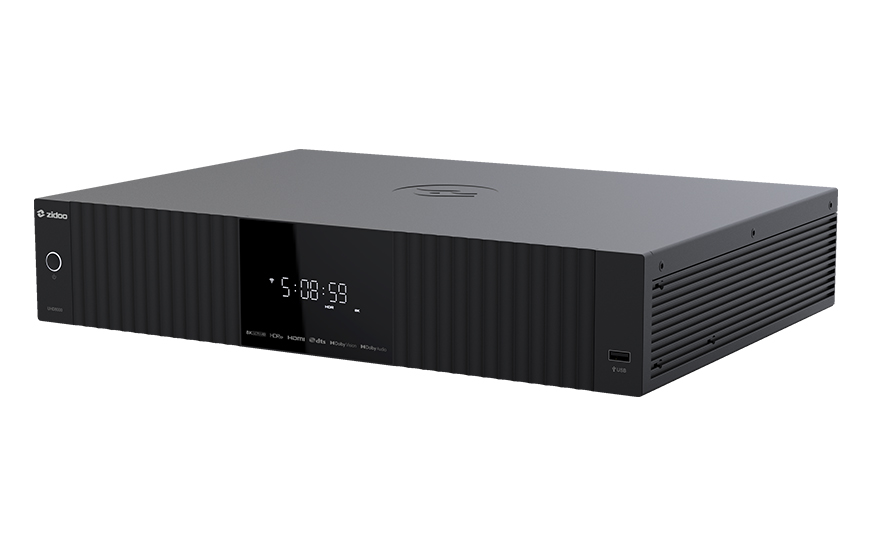
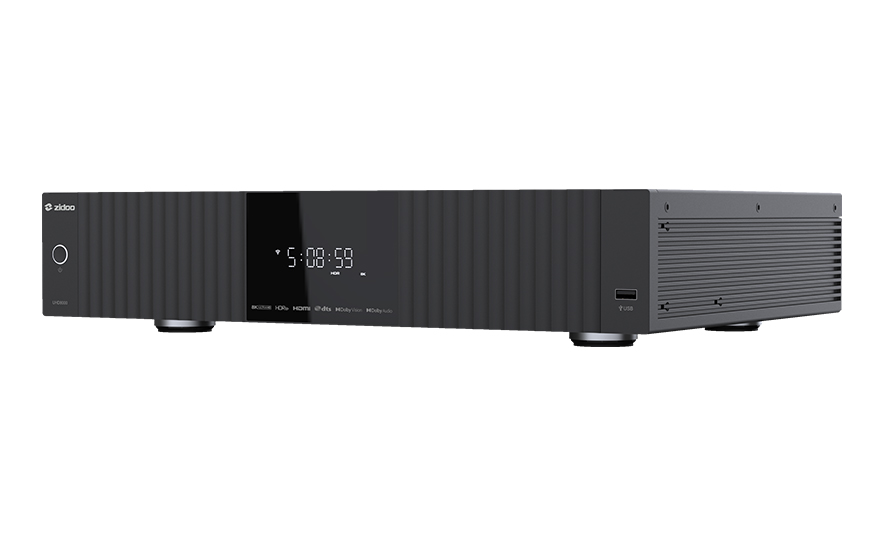
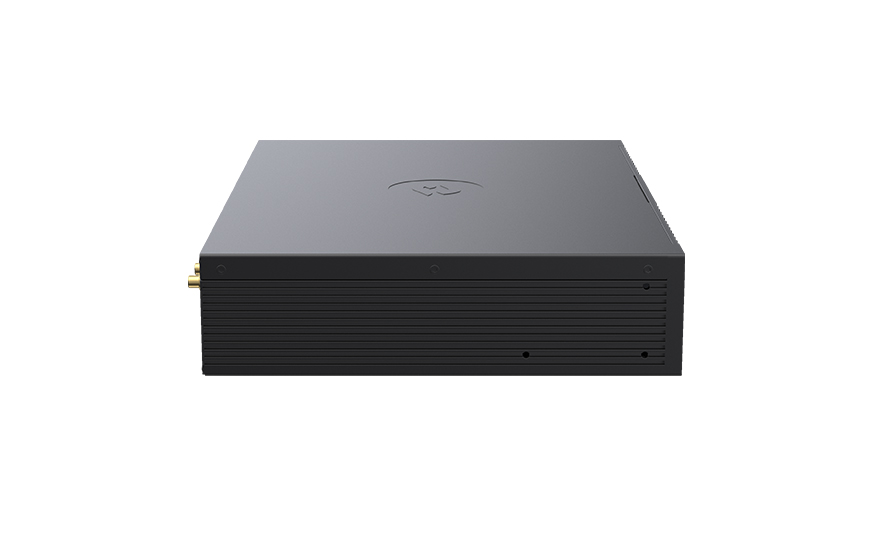
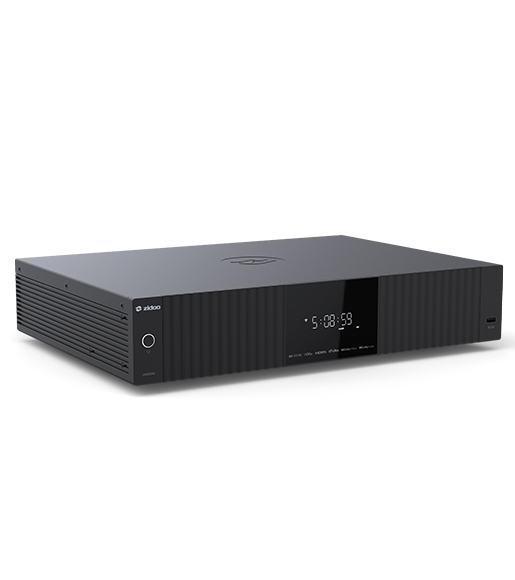
ใหม่! ZIDOO Z3000 PRO ของปี2025 เครื่อง 8K Media Player ซิป Amlogic S928X-K รองรับการเล่นได้หลากหลายพร้อมทั้ง UI แบบใหม่

ZIDOO Z3000 PRO

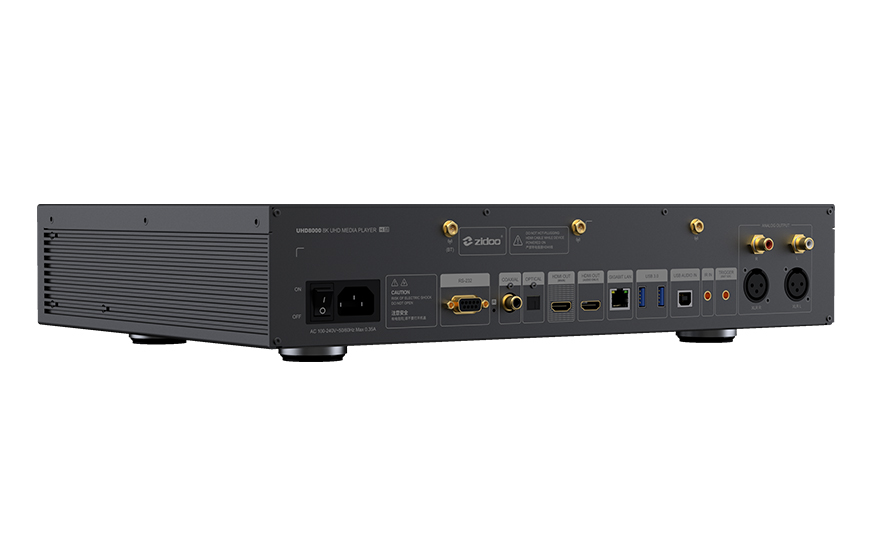
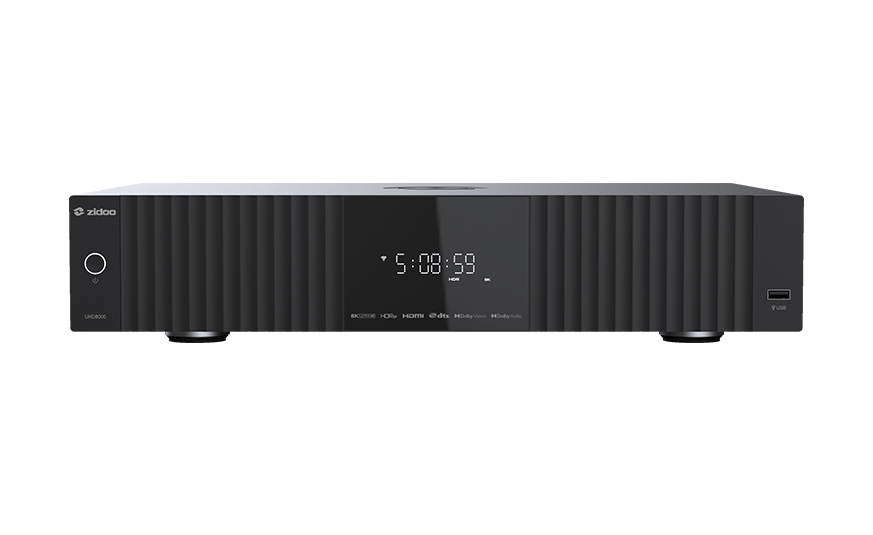
UHD8000

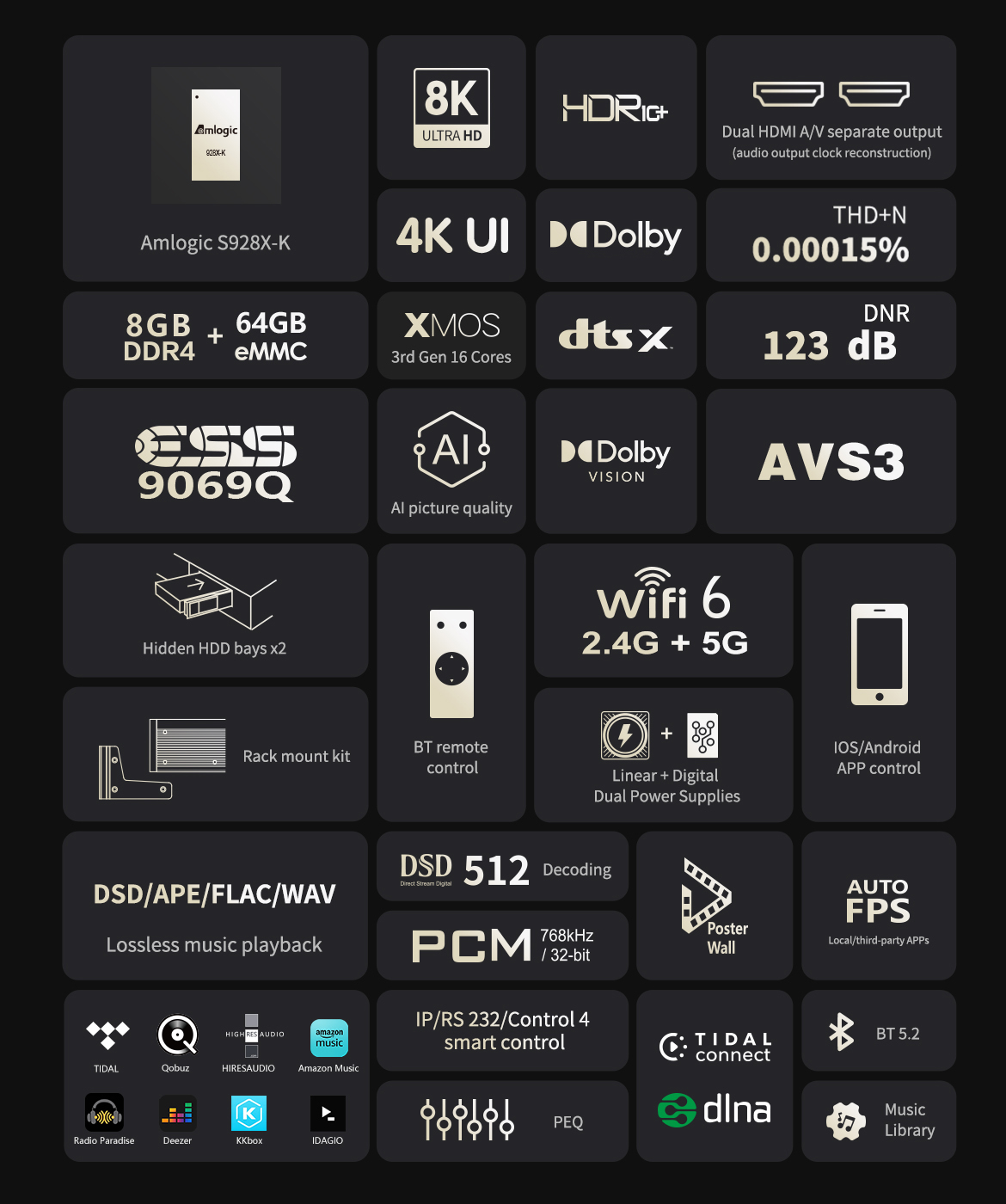
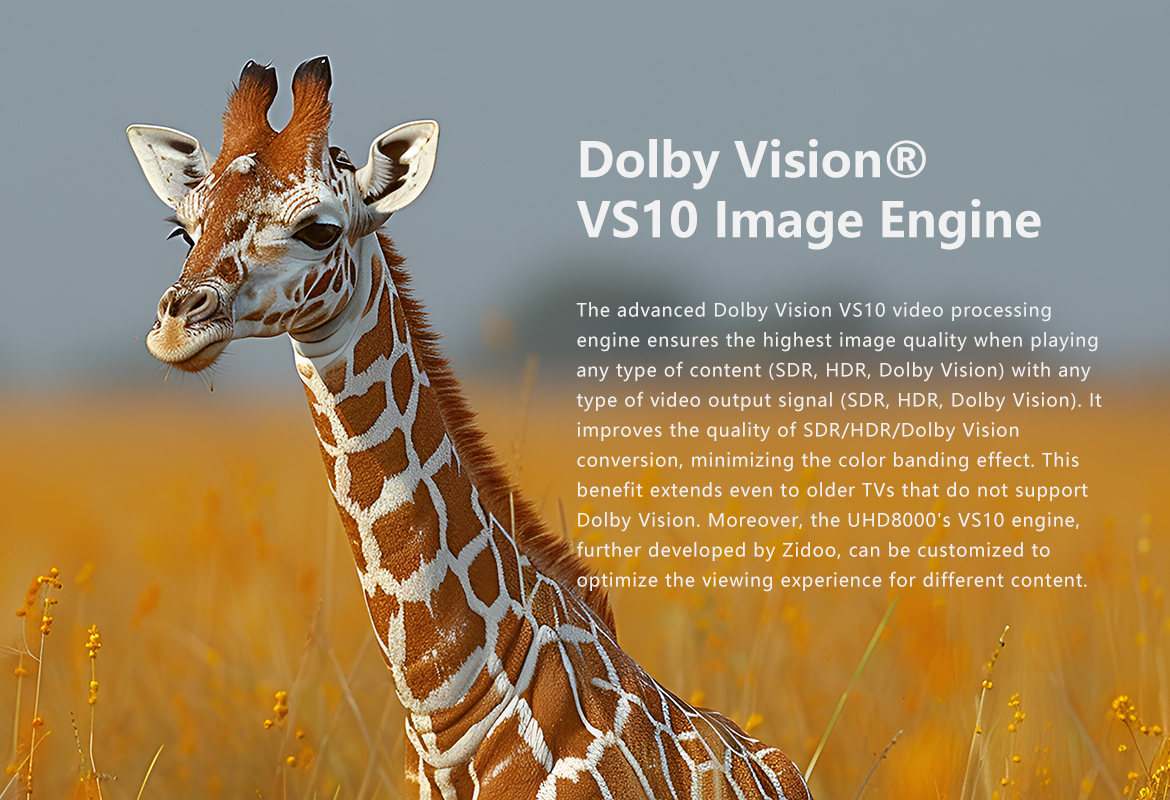
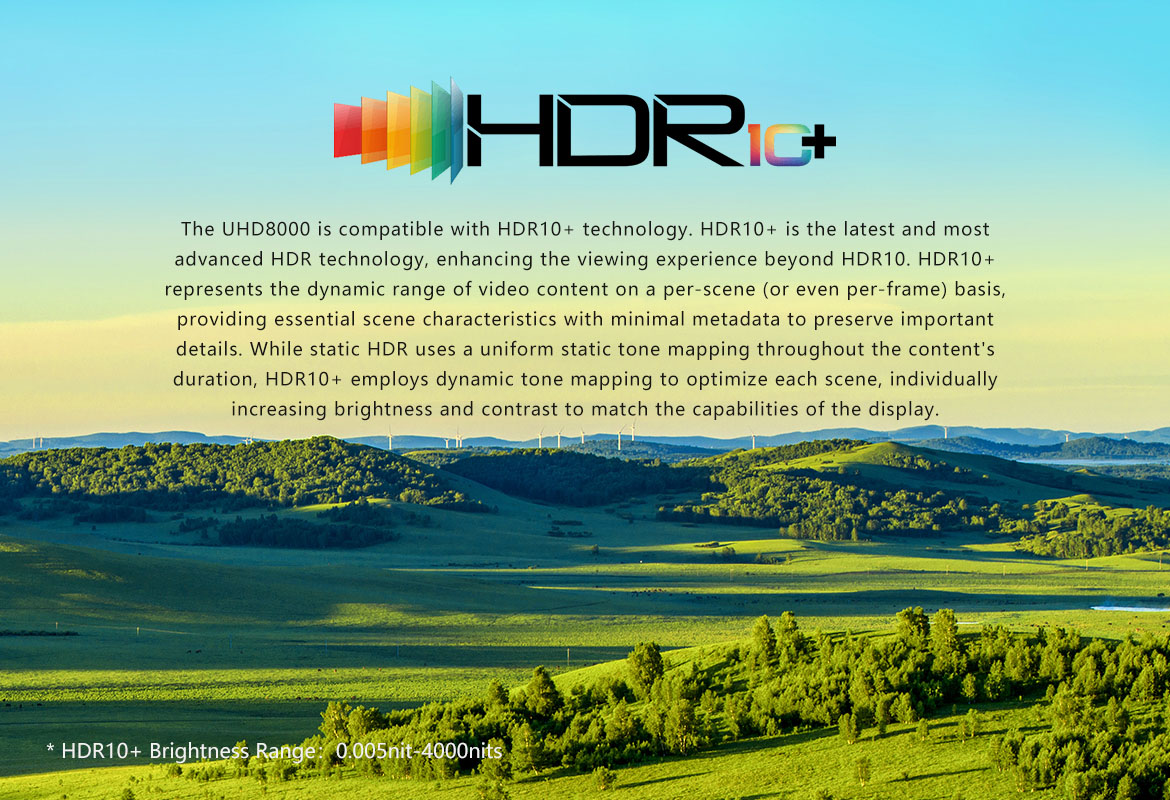
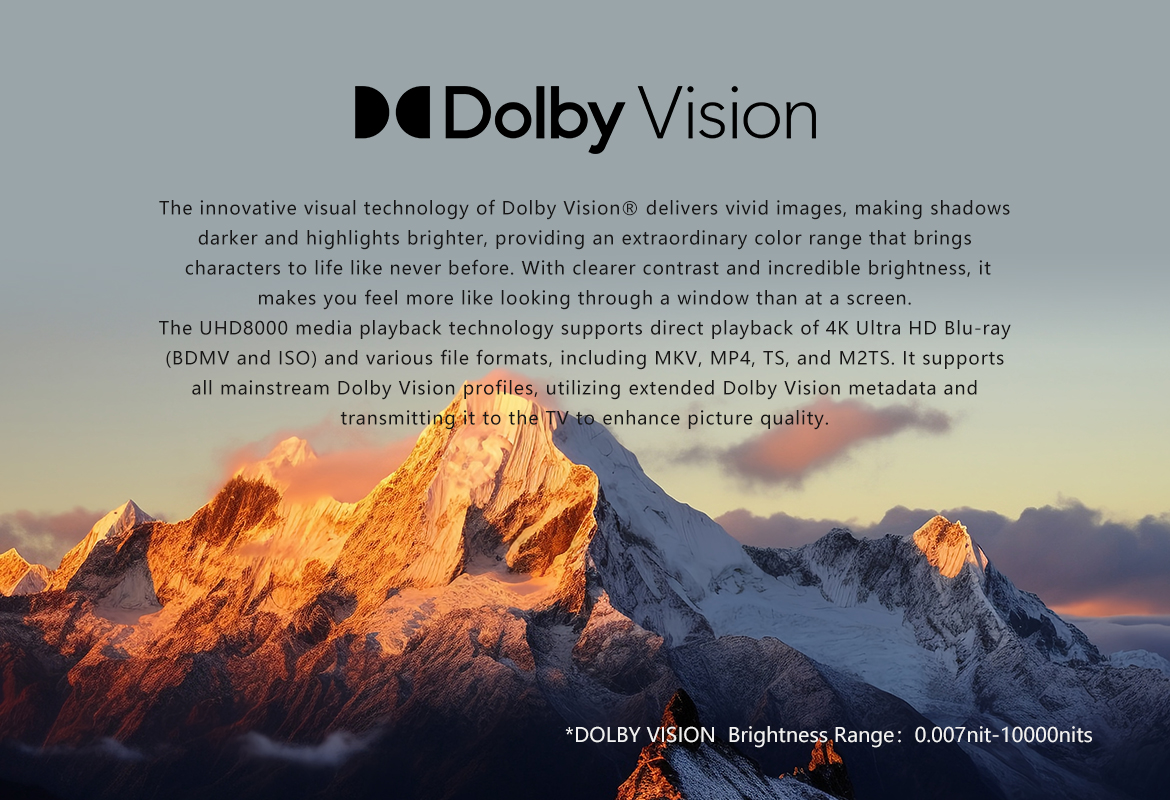
      The Z3000 PRO is an 8K UHD media player compatible with Dolby Vision and HDR10+. It features an exquisite craftsmanship, equipped with a powerful Amlogic 5928X-K chipset and 8GB DDR4 + 64GB eMMC of large storage. Being the first to develop dual HDMI port audio-video separation technology based on this chipset, Zidoo has achieved it with two custom chips and uses digital separation technology to isolate interference. The HDMI Main port is equipped with HDMI 2.1, supporting up to 8K@60P output. The audio-video separation technology is better compatible with existing AV receivers and integrated receivers, no need to update AV receivers to 8K supported.

      Z3000 PRO เป็นเครื่องเล่นมีเดีย 8K UHD ที่รองรับ Dolby Vision และ HDR10+ พร้อมกับชิปเซ็ต Amlogic 5928X-K อันทรงพลังและพื้นที่จัดเก็บข้อมูลขนาดใหญ่ขนาด 8GB DDR4 + 64GB eMMC Zidoo เป็นบริษัทแรกที่พัฒนาเทคโนโลยีการแยกเสียงและวิดีโอด้วยพอร์ต HDMI คู่โดยใช้ชิปเซ็ตนี้ โดย Zidoo ประสบความสำเร็จด้วยชิปแบบกำหนดเอง 2 ตัว และใช้เทคโนโลยีการแยกสัญญาณดิจิทัลเพื่อแยกสัญญาณรบกวน พอร์ต HDMI หลักมาพร้อมกับ HDMI 2.1 ซึ่งรองรับเอาต์พุตสูงสุด 8K@60P เทคโนโลยีการแยกเสียงและวิดีโอเข้ากันได้ดีกว่ากับเครื่องรับ AV และตัวรับสัญญาณในตัวที่มีอยู่ โดยไม่จำเป็นต้องอัปเดตเครื่องรับ AV เพื่อรองรับ 8K

รีวิวเครื่อง Zidoo UHD3000 PRO จาก PEAKHD

สามารถรับชมคลิปรีวิวตัวเครื่องจริงได้ที่ Youtube : PeakHD https://www.youtube.com/@Peakhdreview

Specs

Model
Z3000 PRO
Display Screen LED
Chassis Material Aluminum Alloy
OS Android 11
CPU Amlogic S928X-K ARM Cortex-A76+Cortex-A55 (Penta-core)
GPU ARM Mali-G57 MC2
RAM 8GB DDR4
Internal Storage 64GB eMMC
Bluetooth BT 5.2
WI-FI 6
2.4G + 5G dual-band Wi-Fi, 802.11 a/b/g/n/ac/ax 2T2R , 802.11ax MIMO OFDM
HDMI Out (Main) HDMl 2.1a, supports up to 8K@60p, HDR10+,12Bit color depth, BT2020 wide color range; Supports HDR10, HDR10+,HLG, Dolby Vision; Supports Dolby Atmos and DTS X audio pass-through
HDMI Out (Audio Only) HDMI separate audio and video output, supports Dolby Atmos and DTS X audio pass-through, as well as multi-channel PCM and DSD output
Video Decoding
8K@60p AV1/VP9/H.265/AVS3/AVS2; HDR10, HDR10+, HLG, Dolby Vision
Audio Decoding Supports Dolby/DTS format (up to Dolby TrueHD Atmos and DTS X) decoding
Audio Output USB output, Optical output*1, Coaxial output*1, RCA L/R channel output*1
Intelligent Control APP control for iPhone,iPad landscape mode,Android phone,Android tablet landscape mode, RS-232, TCP/IP control (supports WOL)
SATA
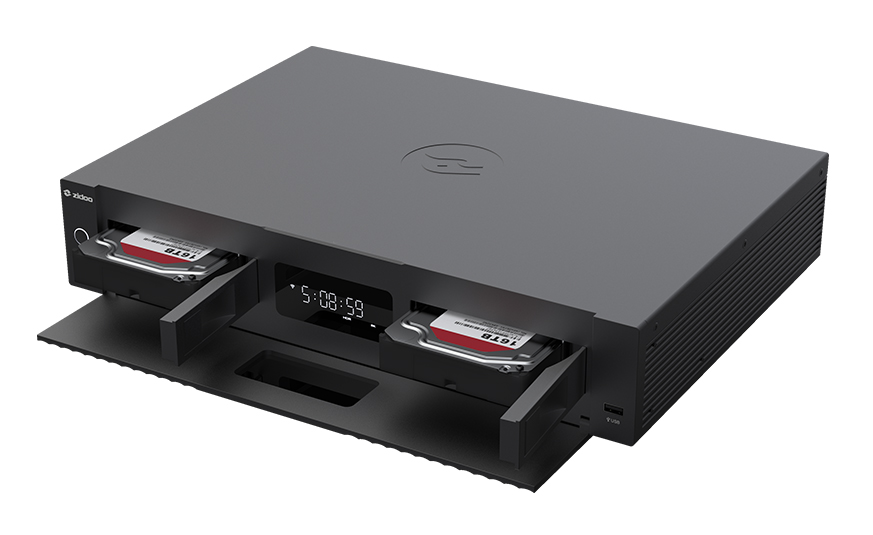
One built-in 3.5”HDD bay with SATA 3.0 specification (HDD is not included)
USB USB 3.0 * 2, USB 2.0 * 1
Power Supply AC 110~120/220~240V 50/60Hz Max 0.35A
Other Interface
Infrared receiver*1, RS232*1, IR IN 3.5 headphone jack*1
Accessories Remote control * 1 Power adapter * 1 SATA cable *1 HDMI cable *1 User manual * 1
Dimensions 350mmx241mmx60mm
Product weight (excluding accessories) 2.9Kg

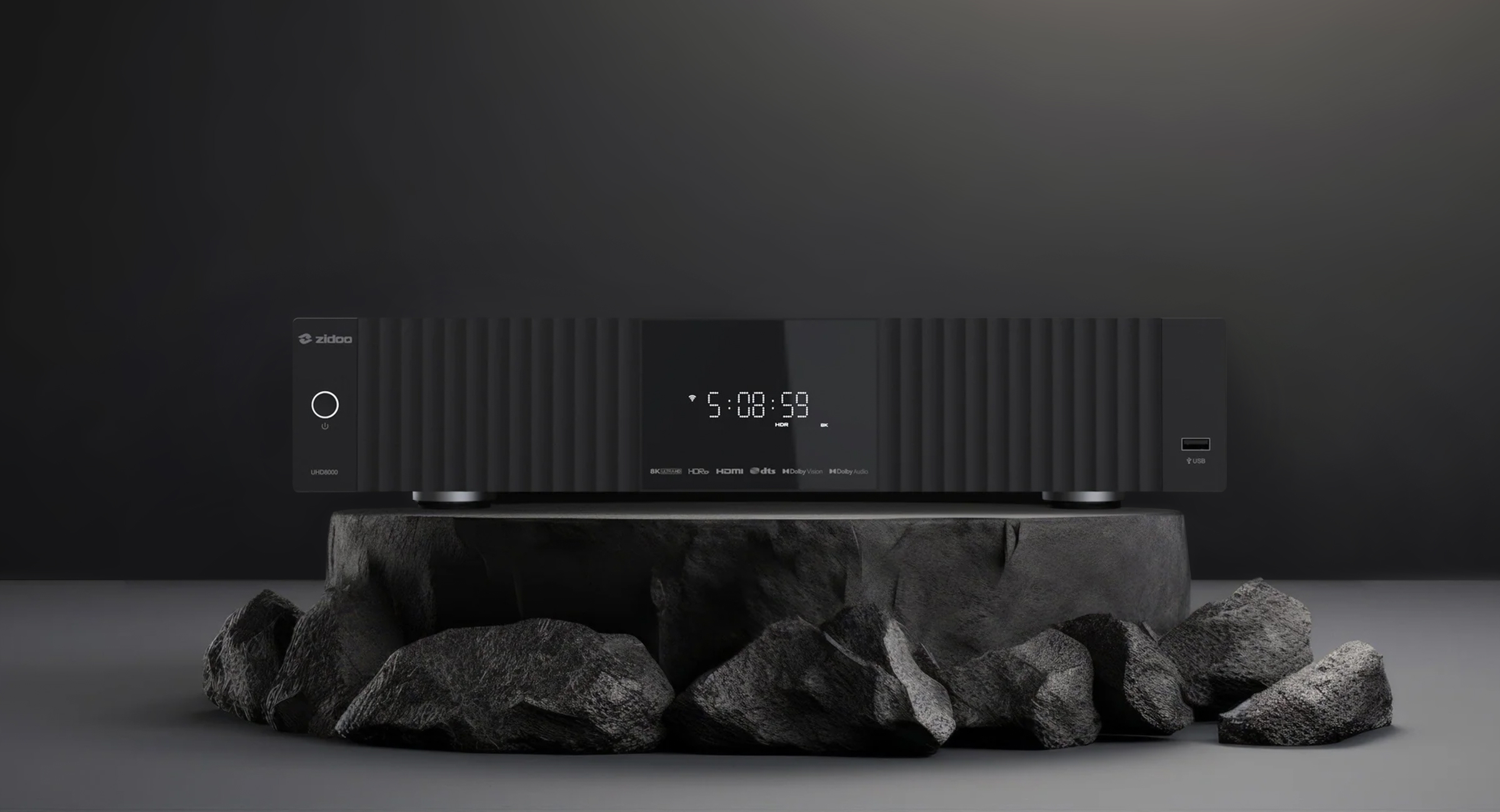
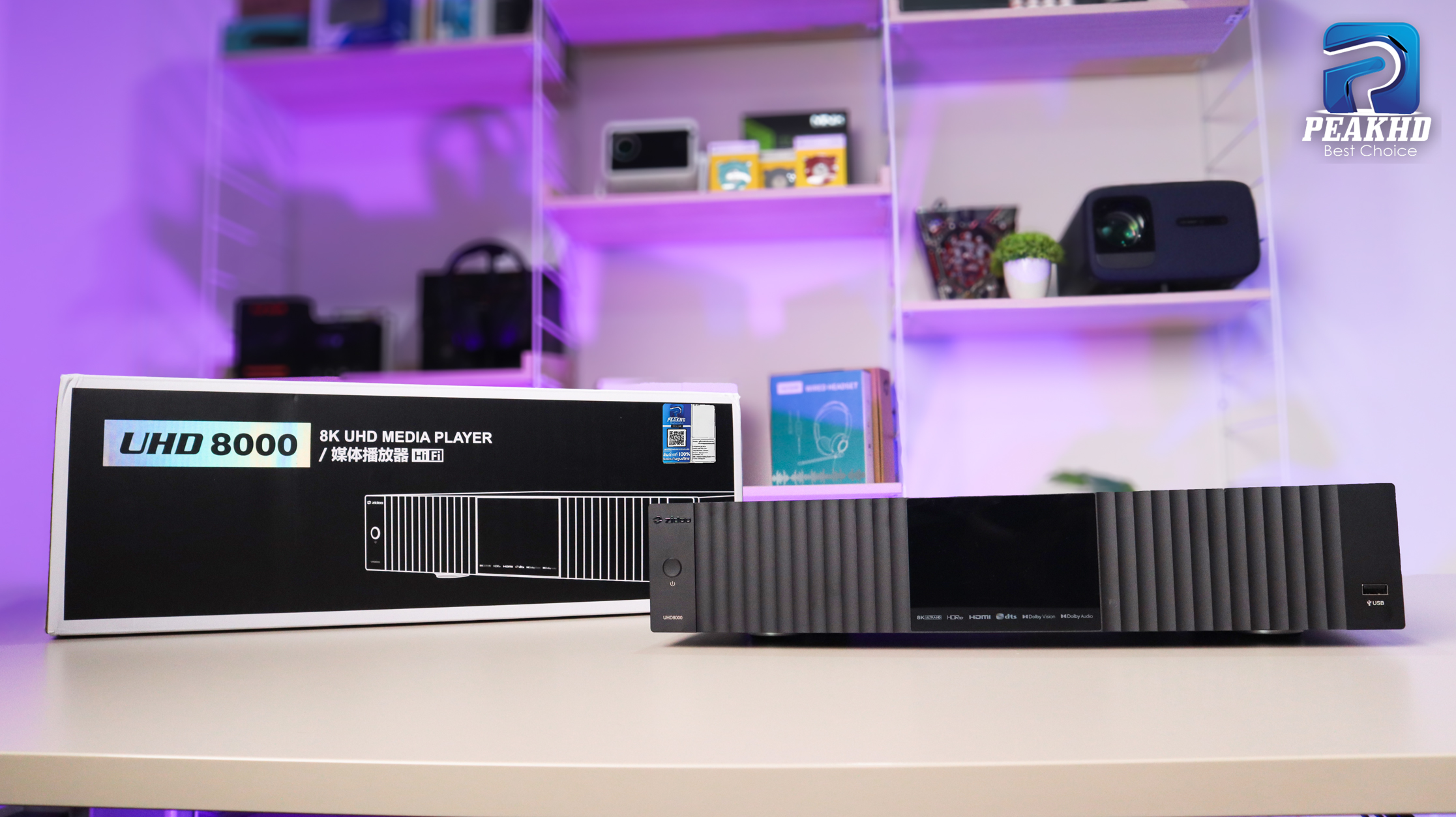
ใหม่! ZIDOO UHD8000 เครื่อง 8K Media Player ปี 2025 ซิป Amlogic S928X-K รองรับการเล่นได้หลากหลายพร้อมทั้ง UI แบบใหม่ใช้งานได้สะดวกกว่าเดิม

ZIDOO UHD8000

UHD8000

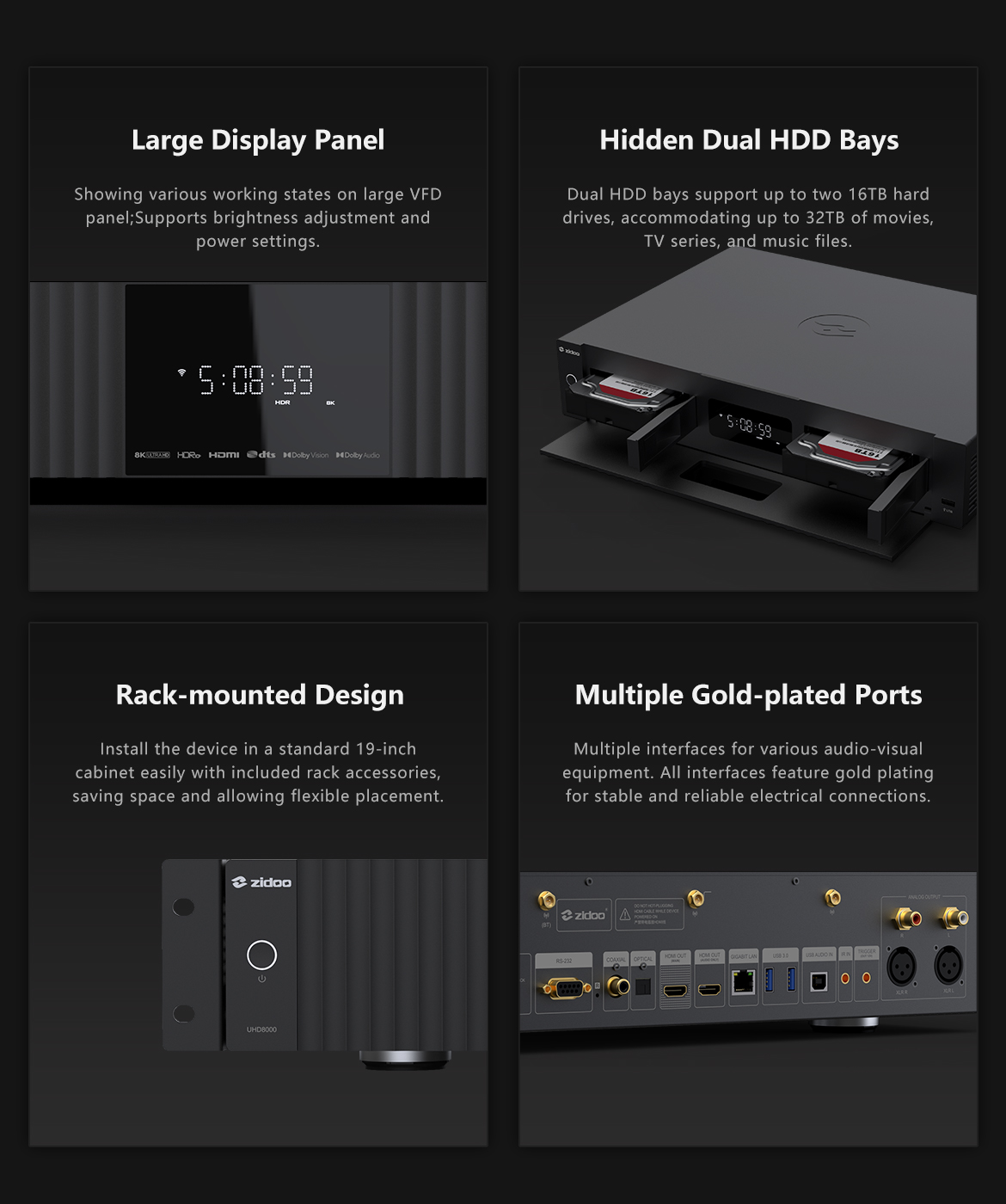
        Zidoo UHD8000 เครื่องเล่นสื่อมีเดีย 8K รองรับ Dolby Vision และ HDR10+ งานประกอบคุณภาพสูงรอบด้านของเครื่อง มาพร้อมกับชิปเซ็ตประมวลผล Amlogic S928X-K และที่เก็บข้อมูลภายใน 8GB DDR4 + 64GB eMMC มีเทคโนโลยีการแยกเสียง/วิดีโอ ของพอร์ต HDMI คู่ ที่พัฒนาโดย Zidoo สำหรับ HDMI พอร์ตหลัก จะเป็น HDMI 2.1 ซึ่งรองรับเอาต์พุตสูงสุด 8K/60 และ HDMI พอร์ตที่สองใช้สำหรับเสียงเท่านั้น เทคโนโลยีการแยกเสียงและวิดีโอเข้ากันได้ดีกว่ากับเครื่องรับ AV และตัวรับสัญญาณในตัวที่มีอยู่ โดยไม่จำเป็นต้องอัปเกรดเป็นเครื่องรับ AV 8K

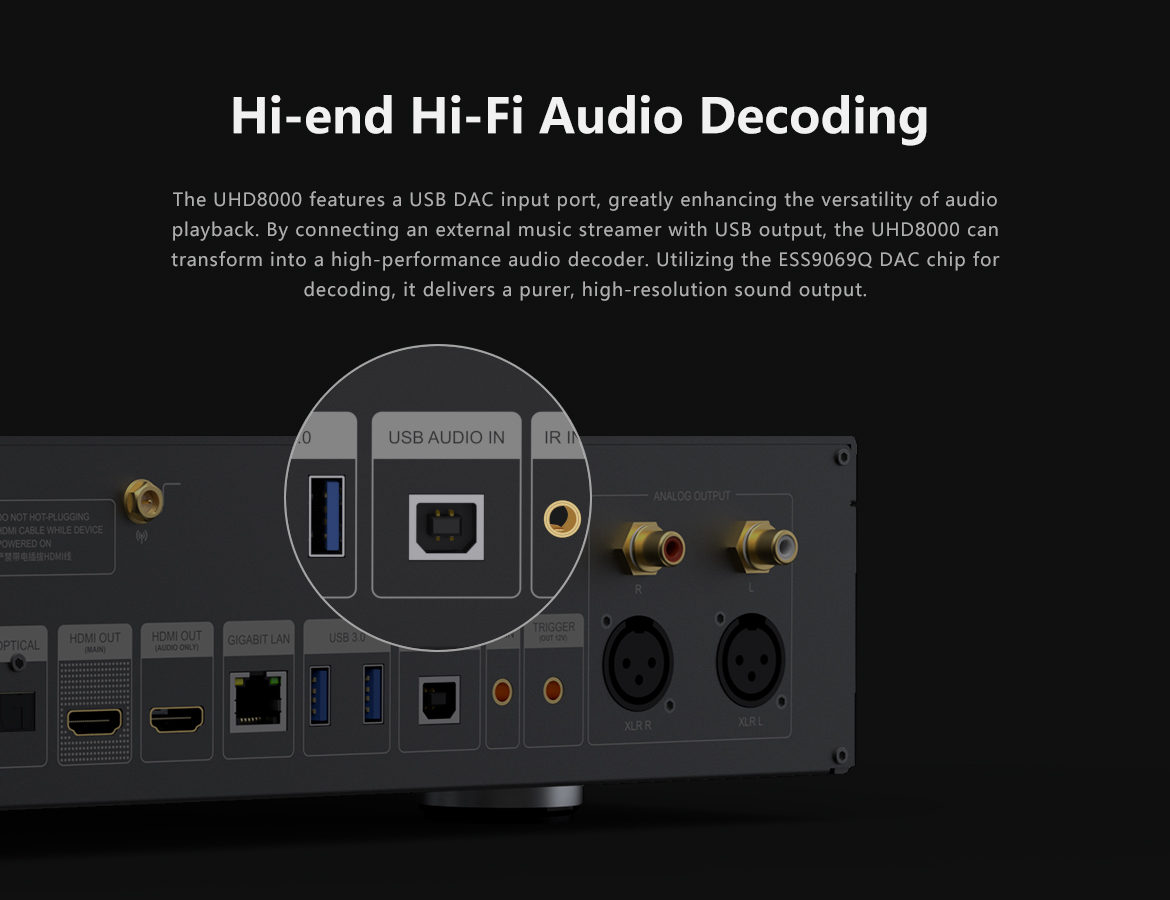
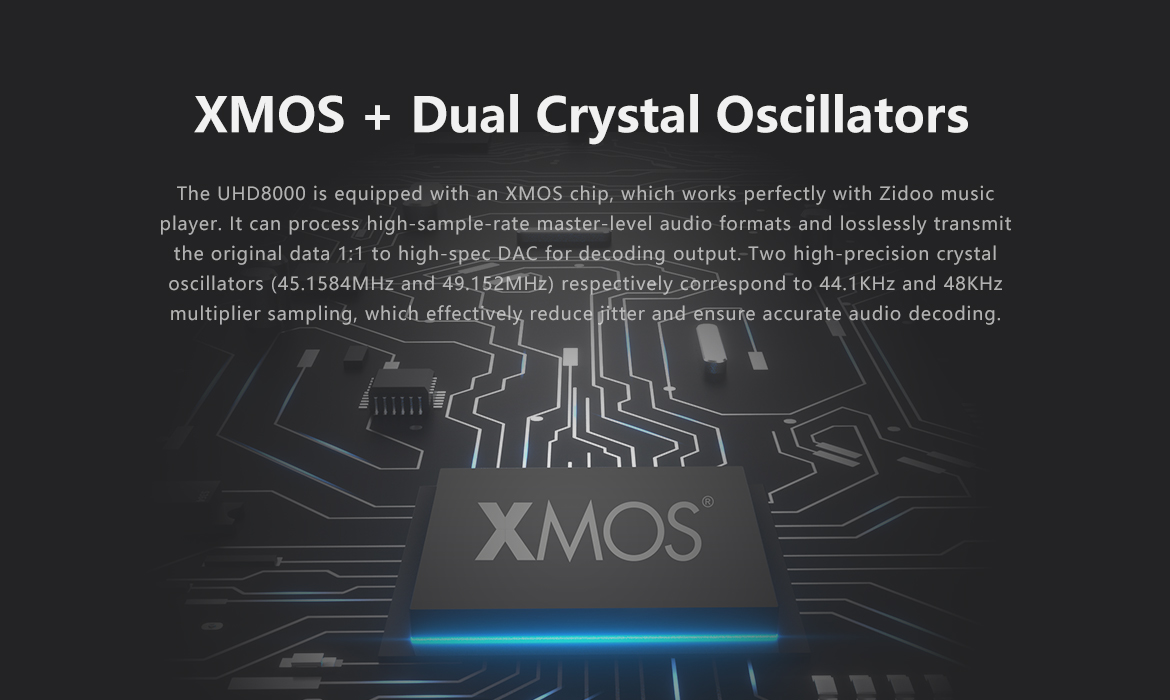
       UHD8000 ยังเป็นเครื่องเล่นเพลงและ DAC ประสิทธิภาพสูง โดยใช้ชิป ESS 9069 DAC ใหม่ในการถอดรหัส และมีฟังก์ชันการจัดการไลบรารีเพลง รองรับโปรโตคอลการสตรีมที่หลากหลาย (TIDAL Connect, UPnP/DLNA, Squeeze lite) และรวมบริการสตรีมเพลงหลายรายการเข้ากับการรวม API

รีวิวเครื่อง Zidoo UHD8000 จาก PEAKHD

สามารถรับชมคลิปรีวิวตัวเครื่องจริงได้ที่ Youtube : PeakHD

https://www.youtube.com/@Peakhdreview

Specs


Model UHD8000
Display Screen LED
Chassis Material Aluminum Alloy
OS Android 11
CPU Amlogic S928X-K ARM Cortex-A76+Cortex-A55 (Penta-core)
GPU ARM Mali-G57 MC2
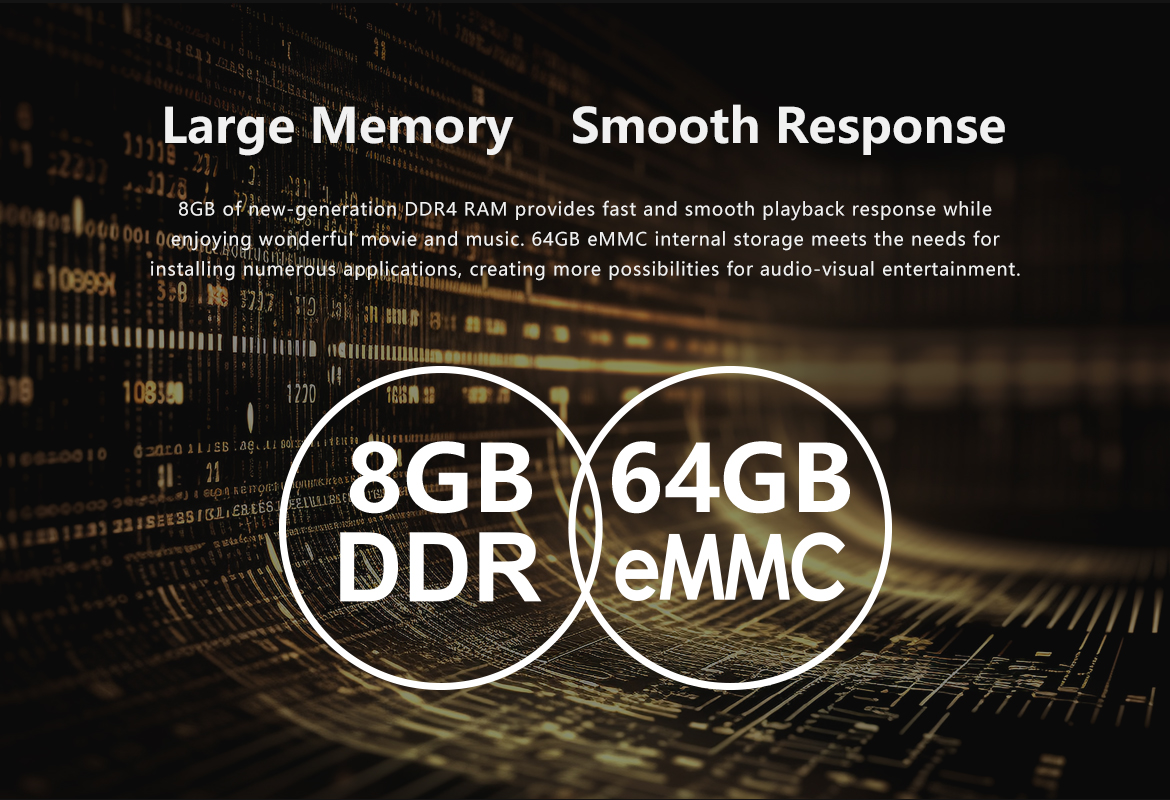
Storage 8GB DDR4 + 64GB eMMC
Bluetooth BT 5.2
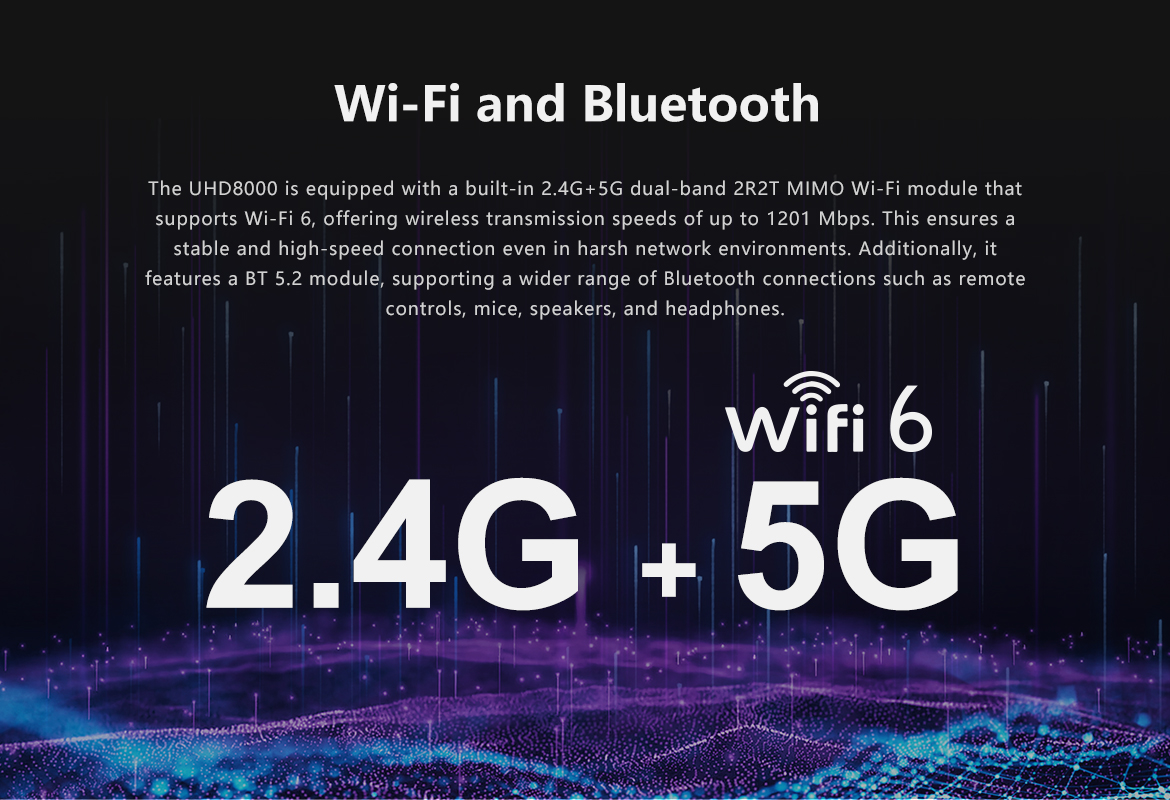
WI-FI 6 2.4G + 5G dual-band Wi-Fi, 802.11 a/b/g/n/ac/ax 2T2R , 802.11ax MIMO OFDM
Ethernet RJ-45 Ethernet jack (10/100/1000Mbps) * 1
HDMI Output (Main) HDMl 2.1a, supports up to 8K@60p, HDR10+,12Bit color depth, BT2020 wide color range; Supports HDR10, HDR10+,HLG, Dolby Vision; Supports Dolby Atmos and DTS X audio pass-through
HDMI Output (Audio Only) HDMI separate audio and video output, supports Dolby Atmos and DTS X audio pass-through, as well as multi-channel PCM and DSD output
Video Decoding 8K@60p AV1/VP9/H.265/AVS3/AVS2; HDR10, HDR10+, HLG, Dolby Vision
Audio Decoding Supports Dolby/DTS format (up to Dolby TrueHD Atmos and DTS X) decoding, equipped with XMOS+ESS9069Q, supports up to PCM 768kHz@32Bit, DSD 512 decoding
Streaming Supports DLNA/Squeeze lite/TIDAL connect streaming (supports TIDAL Connect ATMOS streaming) integrates a wide range of music streaming services
USB Audio Input Supports Windows 10/11, Mac system, Android system, supports up to 2-channel DSD512, PCM 768KHz@32bit PCM decoding
Audio Output USB output, Optical output*1, Coaxial output*1, RCA L/R channel output*1, XLR L/R channel balanced output*1
Analog Audio Characteristics Frequency range 20Hz-20KHz +/-0.15dB; SNR: >123dBrA THD+N:<0.00015%; Output level: (XLR) 4.2Vrms. (RCA) 2.1Vrms.; DNR:>123dB; Crosstalk:135dBrA
Intelligent Control APP control for iPhone,iPad landscape mode,Android phone,Android tablet landscape mode, RS-232, TCP/IP control (supports WOL)
SATA Two built-in 3.5”HDD bays with SATA 3.0 specification (HDDs not included)
USB USB 3.0 * 2, USB 2.0 * 1
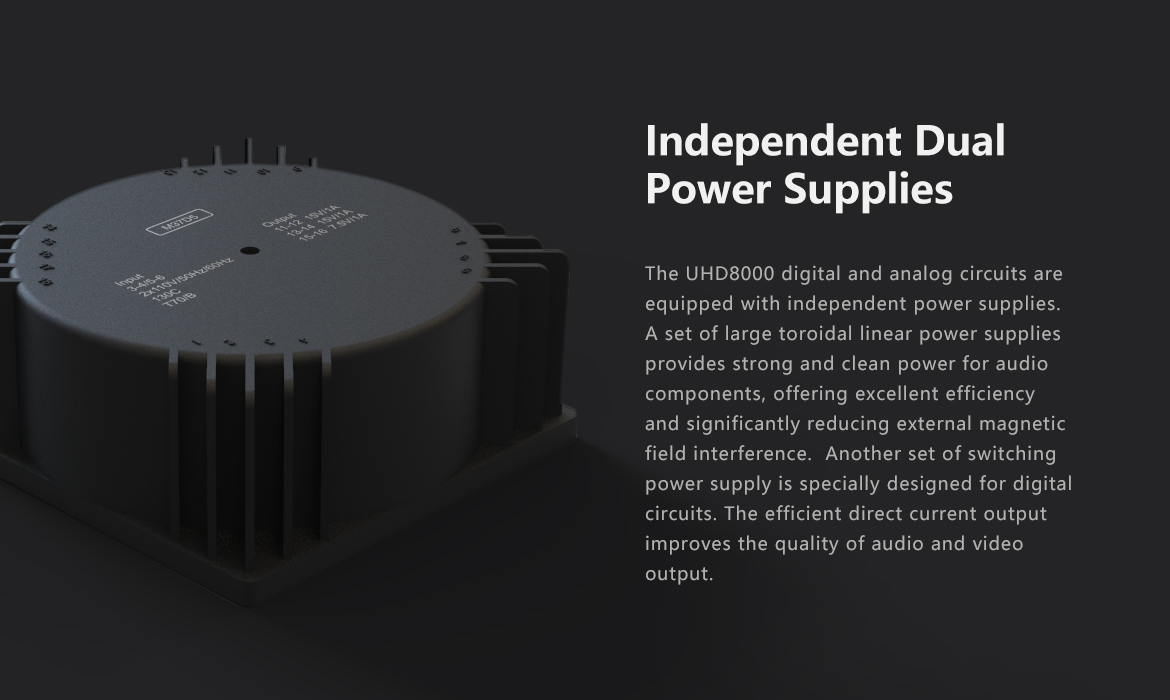
Power Supply AC 110~120/220~240V 50/60Hz Max 0.35A
Other Interfaces Infrared receiver*1, RS232*1, Trigger Out 3.5 headphone jack*1, IR IN 3.5 headphone jack*1
Accessories Remote control * 1 Power adapter * 1 SATA cable *1 HDMI cable *1 High-gain antennas * 3 User manual * 1
Dimensions

430mmx312mmx80mm

Product weight
(excluding accessories)
5.9Kg
การปิด Subtitle ในขณะเล่นไฟล์หนัง สำหรับ ZIDOO

การปิด Subtitle ในขณะเล่นไฟล์หนัง สำหรับ ZIDOO

[vc_row][vc_column][vc_single_image image=”5102″ img_size=”full” alignment=”center”][vc_message message_box_color=”black”]ขณะเล่นหนังให้ท่านกด ปุ่ม MENU ที่รีโมทเครื่อง จะพบกับ

Subtitle >>> เลือกไปที่ Select Subtitle >> Off ครับ

จะเป็นการปิดใช้งาน Subtitle[/vc_message][vc_single_image image=”5104″ img_size=”full” alignment=”center”][vc_single_image image=”5103″ img_size=”full” alignment=”center”][vc_message message_box_color=”black”]กรณที่ปิดไมไ่ด้ ให้ลองทดสอบด้วยการเข้าไปที่

Setting  >> ไปที่ Playback   >>> ไปที่ Defualt Playback >>> ไป Default Subtitle >> เลือกตัวเลือกเป็น OFF ดังภาพด้านบน

และทดสอบเล่นหนังอีกครั้ง


กรณีที่สุดท้ายแล้วไม่ได้จริงๆ อาจเกิดจากปัญหาไฟล์หนังนั้นๆหรือ อาจต้องรอเฟิมแวร์อัพเดด จาก Zidoo ต่อไปครับ

[/vc_message][/vc_column][/vc_row]

แชรไฟล์ในโฟลเดอร์เพื่อเชื่อมต่อกับ Zidoo โอนข้อมูลระหว่างคอมกับ Zidoo ด้วยวง Lan เดียวกัน

แชรไฟล์ในโฟลเดอร์เพื่อเชื่อมต่อกับ Zidoo โอนข้อมูลระหว่างคอมกับ Zidoo ด้วยวง Lan เดียวกัน

[vc_row][vc_column][vc_column_text]

วิธีสร้าง HomeGroup เพื่อแชร์ไฟล์ บน PC

https://haloolahraga.com/mengungkap-jejak-sejarah-legendaris-klub-sepak-bola-london-arsenal-fc/

HomeGroup ก็คือเครือข่ายภายในบ้าน อธิบายง่าย ๆ เช่นในบ้านของเรานั้นมีคอมอยู่ 5 เครื่องเชื่อมต่อเน็ตเดียวกันและมี Zidoo เราก็สามารถทำ Homegroup เพื่อแชร์ข้อมูลให้แก่กันได้ ไม่ว่าจะเป็นการแชร์ไฟล์ ให้คอมทุกเครื่องในเครือข่ายสามารถเข้าถึงได้

เริ่มต้นให้เข้าไปที่ control planel – network and internet ให้คลิก View network

คลิดเข้าไปที่ Advanced network sharing เพื่อเปิด Turn On ทุกตัวก่อน เพราะว่าของบางคนอาจจะปิดอยู่ทำให้เชื่อมต่อ Homegroup ไม่ได้

จากนั้นให้กลับไปที่ network and internet และคลิกที่ Homegroup และเลือกคำสั่ง join now สำหรับเข้าร่วม Home Group ถ้ายังไม่เคยสร้างมาก่อนก็จะกลายเป็นการสร้าง Home Group

ทำตามขั้นตอนไปเรื่อย ๆ เลือกไฟล์ที่เราจะแชร์ จากภาพนั้นผมไม่ได้แชร์อะไรเลย เพราะต้องการที่จะไปเลือกแชร์เอาเองในภายหลัง เราสามารถคลิกขวาที่ไฟล์ที่ต้องการแชร์และเลือกคำสั่ง Share with – homegroup ได้

เมื่อสร้าง homegroup แล้วเราควรจะเข้าไปเปลี่ยน password ใหม่ก่อน เพราะพาสนั้นจำยากไปหน่อยนะ ถ้าไม่อยากเปลี่ยนก็สามารถกดเข้าไปดู password ได้ดังภาพตัวอย่าง


วิธีการแชร์ไฟล์ Windows 10 ละเอียด

1.ให้ทำการสร้าง Username / Password สำหรับ Windows 10 เครื่องที่ต้องการแชร์ไฟล์ : วิธีการสร้าง User Windows 10 แบบ Local

Note : ถ้ามี Username / Password แล้วให้ข้ามไปขั้นตอนต่อไป

2. ทำบน Windows 10 : ให้ไปที่ Control Panel

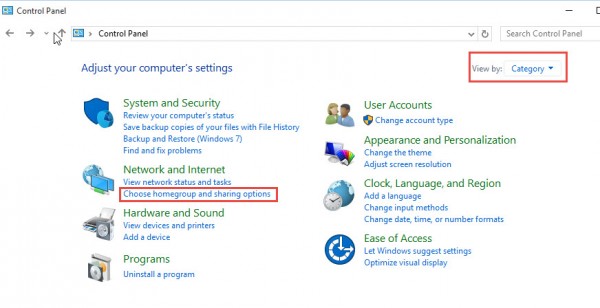
ทำการเลือก View by : Category > เลือก Choose Homegroup and Sharing option

ShareFile-Windows10-ControlPanel


3. ทำการเลือก Change advance sharing settings

ShareFile-Windows10-Shareadvance

4. ในส่วนนี้จะมีหลาย Profile ให้เราเลือกที่ มี (Current Profile)

จากนั้นทำการปรับให้เป็นเหมือนรูป

When network discovery in on : Turn On

File and Printer Sharing : Tune On

HomeGroup : Allow Windows to Manage

ShareFile-Windows10-network

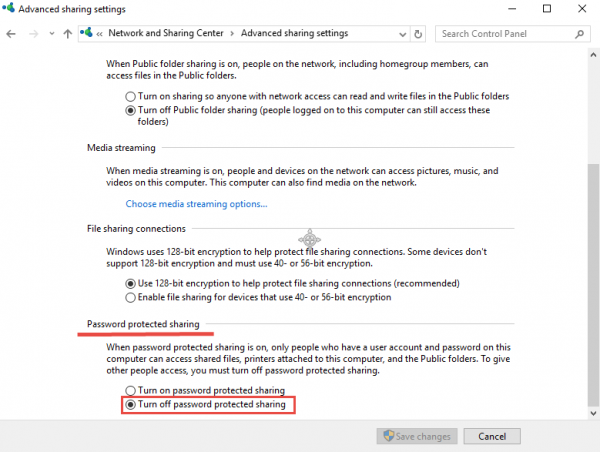
จากนั้นให้หาหัวข้อของ Password Protected sharing : ให้เลือก Turn Off password protected sharing

โดยบางคนมีหลาย Profile ก็ให้หาหัวข้อนี้ให้เจอ และปรับด้วย Password Protected sharing

ShareFile Windows 10

5. จากนั้นไปที่ Folder ที่เราต้องการจะแชร์ใน Windows 10

ทำการคลิกขวาชื่อ Folder ที่เราต้องการแชร์ > Share with > Specific people

ShareFile-Windows10-Share

6. ทำการเพิ่มชื่อ User ที่เราได้ทำการสร้างไว้ในข้อที่ (1) หรือ User ที่เราต้องเอาไว้กรอกสำหรับที่จะให้คอมพิวเตอร์เครื่องอื่นๆเข้ามาใช้งาน

โดยทำการเพิ่ม User และกด Add จากนั้นทำการปรับให้เป็น Read / Write > และทำการคลิก Share

ShareFile-Windows10-add

7. จากนั้นเราก็จะได้ Folder ที่เราต้องการแชร์ไฟล์ใน Windows 10 เป็นที่เรียบร้อย

————————————————————————————————————————–[/vc_column_text][/vc_column][/vc_row][vc_row][vc_column][vc_text_separator][/vc_column][/vc_row][vc_row][vc_column][vc_column_text]มาดูที่เครื่อง Zidoo เข้า Mediacenter เครื่อง[/vc_column_text][vc_single_image image=”5139″ img_size=”full”][vc_column_text]เมื่อเข้ามามาแล้วกดปุ่มทิศทางไปทางซ้าย แล้วเลือกไปที่เมนู SMB เพื่อเช็คว่าเครื่อง Zidoo เห็นคอมในวง Lan[/vc_column_text][vc_single_image image=”5141″ img_size=”full”][vc_column_text]หากพบว่าเข้ามาแล้ว จะต้องเจอ PC บน วง Lan เดียวกัน ดังตัวอย่างคือ PC ชื่อ DESKTOP-5D8S0KF

และในขณะเดียวกันก็จะพบของ Zidoo เองคือชื่อ OPENWRT

หากพบเช่นนี้แสดงว่าการแชรไฟล์สำเร็จ ท่านสามารถโอนไฟล์จาก PC เข้า Zidoo ได้

โดยเข้า ที่ PC ไปที่ Local area network เข้า Open wrt และเข้าโฟลเดอร์ที่แชร์ในเครื่อง Zidoo โอนไฟล์ได้ในทันที
Lolzteam Market lzt.market здесь вы можете купить кс 2 с праймом, телеграм с премиумом, геншин с крутами и легами, стим с инвентарём, мир танков 10 лвла, доту 2 с арканами, вк, надёжно и дешево, огромный ассортимент и поистине много других игровых аккаунтов!

[/vc_column_text][vc_single_image image=”5142″ img_size=”full”][/vc_column][/vc_row]

ZIDOO เผย Spec แล้วของ Zidoo X20 กับ X20 Pro อย่างแน่นอนแล้ว

ZIDOO เผย Spec แล้วของ Zidoo X20 กับ X20 Pro อย่างแน่นอนแล้ว

[vc_row][vc_column][vc_column_text]

ZIDOO เผย Spec HD PLAYER 4K ของ Zidoo X20 กับ X20 Pro อย่างแน่นอนแล้ว

[/vc_column_text][/vc_column][/vc_row][vc_row][vc_column][vc_column_text]

เริ่มจากข่าวคราวของ Realtek 1296DD ที่เป็นโมเดลประกอบ ทียังไม่ขึ้นรูปร่างเป็นผลิตภัณฑ์เมื่อปีที่แล้ว

ในตอนนี้ X20 และ X20 Pro หลุด Spec มาแล้วดังนี้

[/vc_column_text][vc_video link=”https://www.youtube.com/watch?v=XVkEd_tN820″ el_width=”60″ align=”center”][vc_single_image image=”2214″ img_size=”large” alignment=”center”][vc_single_image image=”2213″ img_size=”large” alignment=”center”][/vc_column][/vc_row][vc_row css=”.vc_custom_1524845187362{border-top-width: 1px !important;border-right-width: 1px !important;border-bottom-width: 1px !important;border-left-width: 1px !important;border-left-color: #1e73be !important;border-left-style: solid !important;border-right-color: #1e73be !important;border-right-style: solid !important;border-top-color: #1e73be !important;border-top-style: solid !important;border-bottom-color: #1e73be !important;border-bottom-style: solid !important;border-radius: 1px !important;}”][vc_column width=”1/2″ css=”.vc_custom_1524845110993{border-top-width: 1px !important;border-right-width: 1px !important;border-bottom-width: 1px !important;border-left-width: 1px !important;border-left-color: rgba(53,14,114,0.54) !important;border-left-style: solid !important;border-right-color: rgba(53,14,114,0.54) !important;border-right-style: solid !important;border-top-color: rgba(53,14,114,0.54) !important;border-top-style: solid !important;border-bottom-color: rgba(53,14,114,0.54) !important;border-bottom-style: solid !important;border-radius: 2px !important;}”][vc_column_text]

ZIDOO X20

Powerful Configuration
430MM Standard cabinet Size, All aluminum alloy chassis
New upgrade version Realtek 1296 Quad-Core 64 digits A53 processor,High
quality high-power SMPS.

2G DDR4 Memory,16GB eMMC Super Built-in Storage,gigabit wired, 802.11
AC 2T2R 867Mbps WIFI,Bluetooth 4.2

Abundant Interface :
X20 : SATA 3.0*2, USB 2.0*2, USB 3.0*1, TYPEC *1, Coaxial Cable*1, Optical
Fiber*1 , Left/Right Channels*1, AV Output*1, Infrared Input*1, RS232*1, HDMI
OUT*2, HDMI IN 2.0*1

Full function with backlight Bluetooth-Infrared-Learning three-in-one remote
control, remote control without dead Angle.

Super Lager front LED Display.
Independent Dual SATA 3.0 Ports, NSS Patented metal hard disk extractor can

Build-in two High-Capacity Hard Disk.
Smart temperature control with dual Balls and High Static Pressure Fan.

Dual HDMI Output ports (Audio and Video Separation) dispense with origin
power amplifier and enjoy 4K with HD Audio.

Newquality optimization engine technology,Optimized HDR to SDR Algorithm.
Play 4K HDR which Restoring primitive color even without HDR TV.
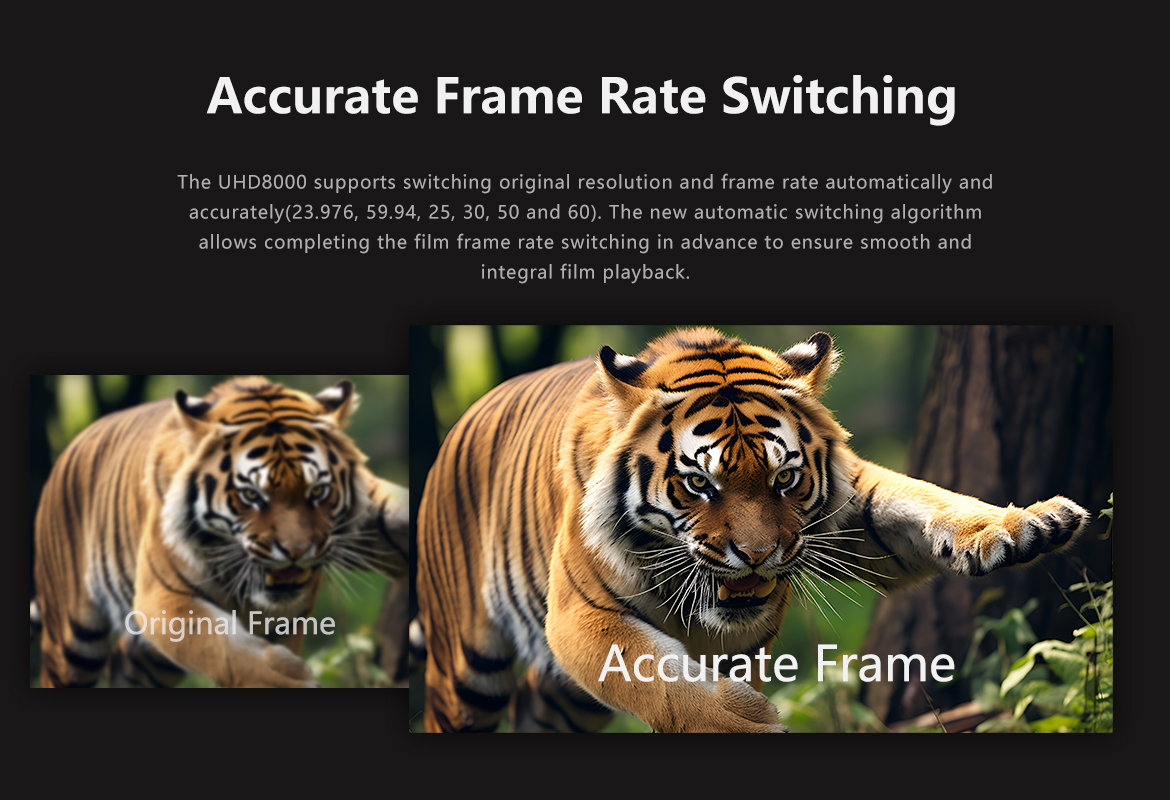
Detailed Frame switching and resolution switching. (23.976,59.94,25,30,50,60)

4K 60P Point to Point Output, Color Region: HDR/HDR10, 10Bit Color Depth,
10.7 hundred million kind of colors.

True 4K 60P decode, H.265/HEVC 10Bit Hard solution.
Support 4K UHD Blue-Ray Navigation
Powerful subtitle function, Support random change any fonts with different
color effects; Support download subtitle online; Support SUP&ASS special

effects subtitles
Unparalleled Wall-Poster Function, Full automatic scan, Automatic classification
and sorting movies and dramas. Customer Layout.
Soundtrack support SACD, DFF, DSF, APE, FLAC, WAV and etc Free lossless
audio formats;

Support CUE track; Support cell phone control without having
to open the display device to listen to music.

Support NFS,SMB,V2,SMB V1 multiple shared protocols.

Support HTTP , RS232(Control on-off), Control4 Multiple ways to control.

[/vc_column_text][/vc_column][vc_column width=”1/2″][vc_column_text]

ZIDOO X20 PRO

Powerful Configuration
430MM Standard cabinet Size, All aluminum alloy chassis
New upgrade version Realtek 1296 Quad-Core 64 digits A53 processor,High
quality high-power SMPS.

4G DDR4 Memory,32GB eMMC Super Built-in Storage,gigabit wired, 802.11
AC 2T2R 867Mbps WIFI,Bluetooth 4.2

Abundant Interface :
X20 : SATA 3.0*2, USB 2.0*2, USB 3.0*1, TYPEC *1, Coaxial Cable*1, Optical
Fiber*1 , Left/Right Channels*1, AV Output*1, Infrared Input*1, RS232*1, HDMI
OUT*2, HDMI IN 2.0*1

ESS 9038 Professional DAC Audio processing Chip


Full function with backlight Bluetooth-Infrared-Learning three-in-one remote
control, remote control without dead Angle.

Super Lager front LED Display.
Independent Dual SATA 3.0 Ports, NSS Patented metal hard disk extractor can

Build-in two High-Capacity Hard Disk.
Smart temperature control with dual Balls and High Static Pressure Fan.

Dual HDMI Output ports (Audio and Video Separation) dispense with origin
power amplifier and enjoy 4K with HD Audio.

Newquality optimization engine technology,Optimized HDR to SDR Algorithm.
Play 4K HDR which Restoring primitive color even without HDR TV.
Detailed Frame switching and resolution switching. (23.976,59.94,25,30,50,60)

4K 60P Point to Point Output, Color Region: HDR/HDR10, 10Bit Color Depth,
10.7 hundred million kind of colors.

True 4K 60P decode, H.265/HEVC 10Bit Hard solution.
Support 4K UHD Blue-Ray Navigation
Powerful subtitle function, Support random change any fonts with different
color effects; Support download subtitle online; Support SUP&ASS special

effects subtitles
Unparalleled Wall-Poster Function, Full automatic scan, Automatic classification
and sorting movies and dramas. Customer Layout.
Soundtrack support SACD, DFF, DSF, APE, FLAC, WAV and etc Free lossless
audio formats;

Support CUE track; Support cell phone control without having
to open the display device to listen to music.

Support NFS,SMB,V2,SMB V1 multiple shared protocols.

Support HTTP , RS232(Control on-off), Control4 Multiple ways to control.

[/vc_column_text][/vc_column][/vc_row][vc_row][vc_column][vc_single_image image=”2716″ img_size=”large” alignment=”center”][/vc_column][/vc_row][vc_row][vc_column][vc_message]ทาง Admin ของทาง PEAKHD ได้สอบถามไปที่ Zidoo ได้เรื่องความแตกต่างของ Ram และ Rom รวมถึง ตัว X20 ธรรมดา จะถูกตัด DAC ซึ่งเป็นตัวชิพเซ็ตที่ช่วยเรื่องเสียง ที่ดีกว่าทั่วๆไป ในระดับที่ดีมากที่สุด เป็นชิพเซ็ตเรือธงเลยก็ว่าได้ อยุ่ในตระกุลเครื่องเล่นสูงๆ ของ 4K Bluray และ AVR หลายๆรุ่น ในตอนนี้ X20 Pro ได้ใช้ชิพเซ็ตตัวนี้ ชูเป็นจุดขายสำคัญ ฉะนั้นท่านที่มีชุดโฮมและ การฟังเพลงคือชีวิตของท่าน ท่านเลือกไม่ผิดแล้วกับ X20 Pro

ส่วนท่านใดที่ไม่ต้องการเน้นด้านนี้เท่าไหร่นัก X20 ตัวธรรมดาก็ตอบโจทย์การเล่นหนัง Player ทั่วๆไปได้แล้ว

จากข้อมูลของทาง http://www.esstech.com

The ES9038PRO SABRE DAC

Bringing Music to Life

The  ES9038PRO SABRE DAC is the flagship of the ESS PRO series. It sets a new benchmark for audio excellence with the industry’s highest dynamic range (DNR), up to 140dB, in a 32-bit, 8-channel DAC. The ES9038PRO was designed for premium home theater equipment including Blu-ray players, preamplifiers, all-in-one A/V receivers, and more. For serious audiophiles it provides the most immersive listening experience — bringing music to life. 

The ES9038PRO SABRE DAC also features ESS’ patented 32-bit HyperStreamDAC technology with-122dB total harmonic distortion plus noise (THD+N). The HyperStream architecture is responsible for both the outstanding sound quality of the ES9038 and the extremely low THD+N. A typical competitive, 32-Bit 8-Channel DAC using a delta-sigma architecture features-107dB THD+N (0.0004%), which when subjected to listening tests does not equal the clarity and sound stage of the ES9038PRO. 

[/vc_message][/vc_column][/vc_row][vc_row][vc_column][vc_single_image image=”2728″ img_size=”large” alignment=”center”][/vc_column][/vc_row]